Friday, 18 April 2014
Google stock camera app available now in Play Store [Update]
Monday, 10 March 2014
Google vs Apple - comparison between Nexus 5 and iPhone 5s
Google says its data now protected from government spying
Monday, 13 January 2014
My Google Chrome Goes Slower Than Ever | Fixed
SymptomsYou may be using Google Chrome for a long time and after sometime, it may stop loading web pages and your network connection appears very slower. After taking many minutes for loading, it will show that "Unable to load the web page".ReasonsFrom my research, I had concluded that this could occur due to three many reasons. Using Google chrome for a long time.Using chrome apps.Slow internet connection.SolutionIf you are using Windows, you could follow these steps : Press Alt
Wednesday, 1 January 2014
Quick Tip: Google Transliterate Keyboard Shortcut
If you use Google Transliterate to frequently type in multiple languages, read on. Google Transliterate IME, the desktop version of Google Transliterate, allows you to switch between different languages while typing on your computer.
Every time you want to switch between languages, you have to pause typing and then use your mouse to change the language from the option near the system tray. This could get pretty tiring for the keyboard fanatics among us.

Google Transliterate comes with a poorly publicised keyboard shortcut combination. The next time you want to switch between languages, just hit Shift and Alt together. You don’t even have to pause typing. This saves only a few seconds, but keeps you less frustrated in the long run.
Hat tip: Suraj Bhooshan
TweetNo related posts.
ADVERTISEMENTS
Written by Shankar Ganesh
May 22nd, 2012 at 6:08 pm
Posted in software tools
Tagged with productivity
« 5 Ways To Make The Best Out Of RapportiveRemove Flame Worm Right Away! »
saadepunjab
The
contents are really good…
saadepunjab.com
Subscribe for free tech tips here!The Journalist template by Lucian E. Marin — Built for WordPress
Wednesday, 25 December 2013
Google +1 Extension For Google Chrome
Features Of This ExtensionThe main features of this extension are given below : 100% Safe.A product from Google.Free.Allows instant share to Google Plus.Recommend any page on Google Plus that you want.A nice placement for the extension.Increases the Google Plus one shares.Screenshots
Sunday, 8 September 2013
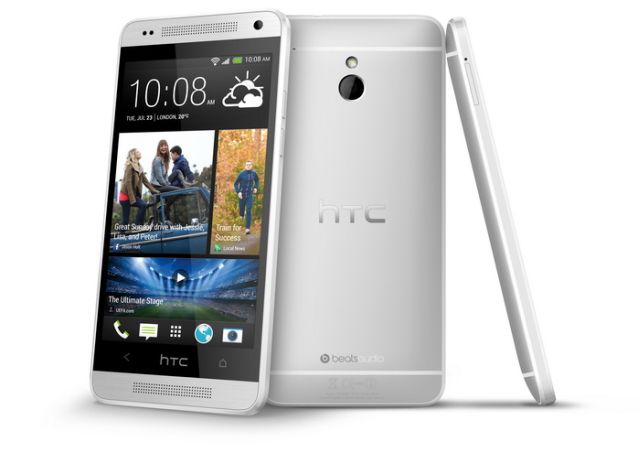
Alcatel's Crazy Idea: A Remote for the Smartphone
Saturday, 7 September 2013
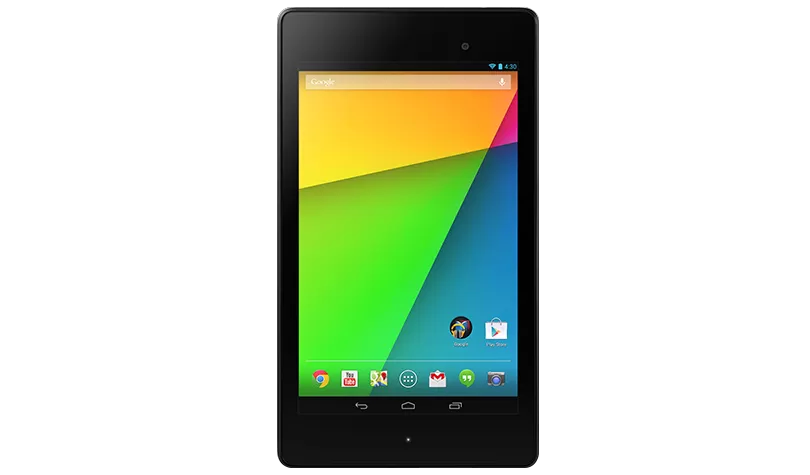
NEW GOOGLE NEXUS 7 LAUNCHED: FULL HD IPS DISPLAY, 5 MP CAMERA, ANDROID 4.3
SPECIFICATIONS:
| Display | 7.02-inch, 1920×1200 HD display (323 ppi) 1080p HD IPS Scratch-resistant Corning Glass |
| CPU | 1.5 GHz Qualcomm Snapdragon S4 Pro |
| GPU | Adreno 320, 400 MHz |
| Camera | Rear: 5 MP with Auto Focus Front: 1.2 MP fixed focus |
| Connectivity | 4G LTE Dual-band Wi-Fi (2.4GHz/5GHz) 802.11 a/b/g/n Bluetooth 4.0 NFC |
| Audio | Stereo speakers Surround sound, powered by Fraunhofer |
| OS | Android 4.3 Jelly Bean |
| Ports | MicroUSB SlimPort enabled |
| Battery | 3950 mAh Wireless Charging built-in |
| Memory | RAM: 2 GB Internal Storage: 32 GB External Storage: NA |
| Size | 114 x 200 x 8.65 mm |
| Weight | 290 g |
| Sensors | Accelerometer, GPS, Compass, Ambient Light, Gyroscope |
PRICE:
Friday, 9 August 2013
HOW TO FREE UP INTERNAL MEMORY FROM ANDROID WITHOUT ROOTING
- Fix Storage bug.
- Move apps to SD card with the help of App2SD.
- Force Applications to Allow Moving ( For Advanced user only)
1. FIX STORAGE BUG
- Open the People application and press Menu –> Import/Export
- Press Export to SD card.
- Another popups showing many accounts like SIM, Phone and other account you’ve connected to you phone.
- Select top account and another confirmation dialog appears, Press OK.
- Repeat this for each account on your phone.
- When exporting done, now its time to clear data.
- Go to Settings –> Application –> Manage Applications and find Contact Storage in the All tab.
- Once you’re in Application info page, then press Clear data, then press OK.
- Once the data is clear, now go back to People application., press Menu –> Import/Export, and select Import from SD Card.
- Select files you took backup in previous step.
- You’re done.
2. MOVE APPS TO SD CARD WITH THE HELP OF APP2SD

3. FORCE APPLICATION TO ALLOW MOVING
- Connect your phone to your computer via USB
- Open Command prompt and navigate to C:\android-sdk-windows\platform-tools\directory or where you install it in your hard drive. make sure you’re in platform-toolsdirectory.
- Type “adb shell pm setInstallLocation 2” press enter.
- Unplug your phone and restart. Now you should able to move almost all of your applications to the SD card.
- Again Use App2SD to transfer your application to SD card.
SOFTWARE DATA CABLE TO TRANSFER DATA TO ANDROID WITHOUT ANY CABLE
HOW IT WORKS:
TUTORIAL TO CONNECT TO THE ANDROID DEVICE VIA WINDOWS EXPLORER:
- Start the app in your device and tap on “Start Service” button

- Copy the URL as display in the app
- Open Windows Explorer and paste the URL in address bar

- Now your PC/laptop is connected to your device.
- Start transferring files by using simple Cut/Copy/paste method
TUTORIAL TO CONNECT TO THE ANDROID DEVICE VIA FTP CLIENT (FILEZILLA):
- Start the app in your device and tap on “Start Service” button
- Copy the URL as display in the app
- Open the FileZilla FTP Client on your PC/laptop
- Input the address and port as shown in screenshot below

- Click on “QuickConnect”
- Now your PC/laptop is connected to your device.
- Start transferring files
FEATURES:
- Transfer files without any USB Data Cable
- No need to mount and unmount the SD card frequently
- Fast and easy to use file manager integrated
- Uses Wi-Fi for data transfer
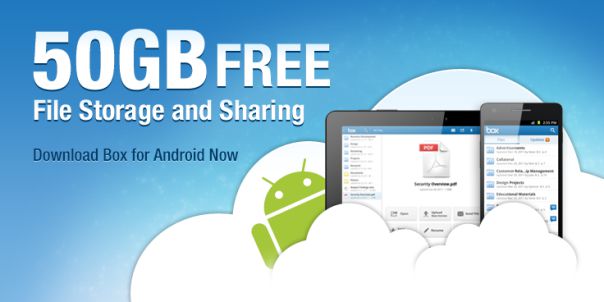
BOX OFFERING 50 GB OF FREE STORAGE FOR ANDROID USERS

ROBIN FOR ANDROID: PERSONAL VOICE ASSISTANT ON THE ROAD

LIST OF USEFUL COMMANDS:
• Find cheapest parking around Union Square
• I need parking near Columbus at Montgomery
• Next one
• Anything closer/cheaper?
• What else do you have?
• Let’s go there!
• Go to 1234 Lombard San Francisco
• Navigate to nearest Starbucks
• Get me to Getty Museum
• Directions to Hollywood and Highland
• How is the traffic?
• What is the traffic like in San Francisco?
• What can you do?
• What time is it?
• Tell me a joke
N7PLAYER: STYLISH ANDROID MUSIC PLAYER WITH ARTIST TAG CLOUD


FEATURES:
- Intuitive music catalog showing: albums, artists, genres etc
- 5 band graphic equalizer with presets, reverb effects, bass boost and sound virtualization
- Automatic and manual album art download
- ID3 tags editor
- Filtered file browser
- Music Widget
- Lockscreen widget with direct unlock option
- Scrobble using Last.fm app